 convert.express
The convert.express dashboard has three tabs: My transcripts, Finance and Bots. Your transcripts are where they've always been. Money now has its own tab, and AI assistants that work on your behalf have theirs. Each tab is its own page (/dashboard, /dashboard/balance, /dashboard/bots), so you can bookmark the one you use most.
You need to be signed in to see the dashboard. The screenshots below come from a test account.
My transcripts
This is the first tab, and it looks like the dashboard you know: a free-minutes bar at the top and your jobs underneath, newest first.
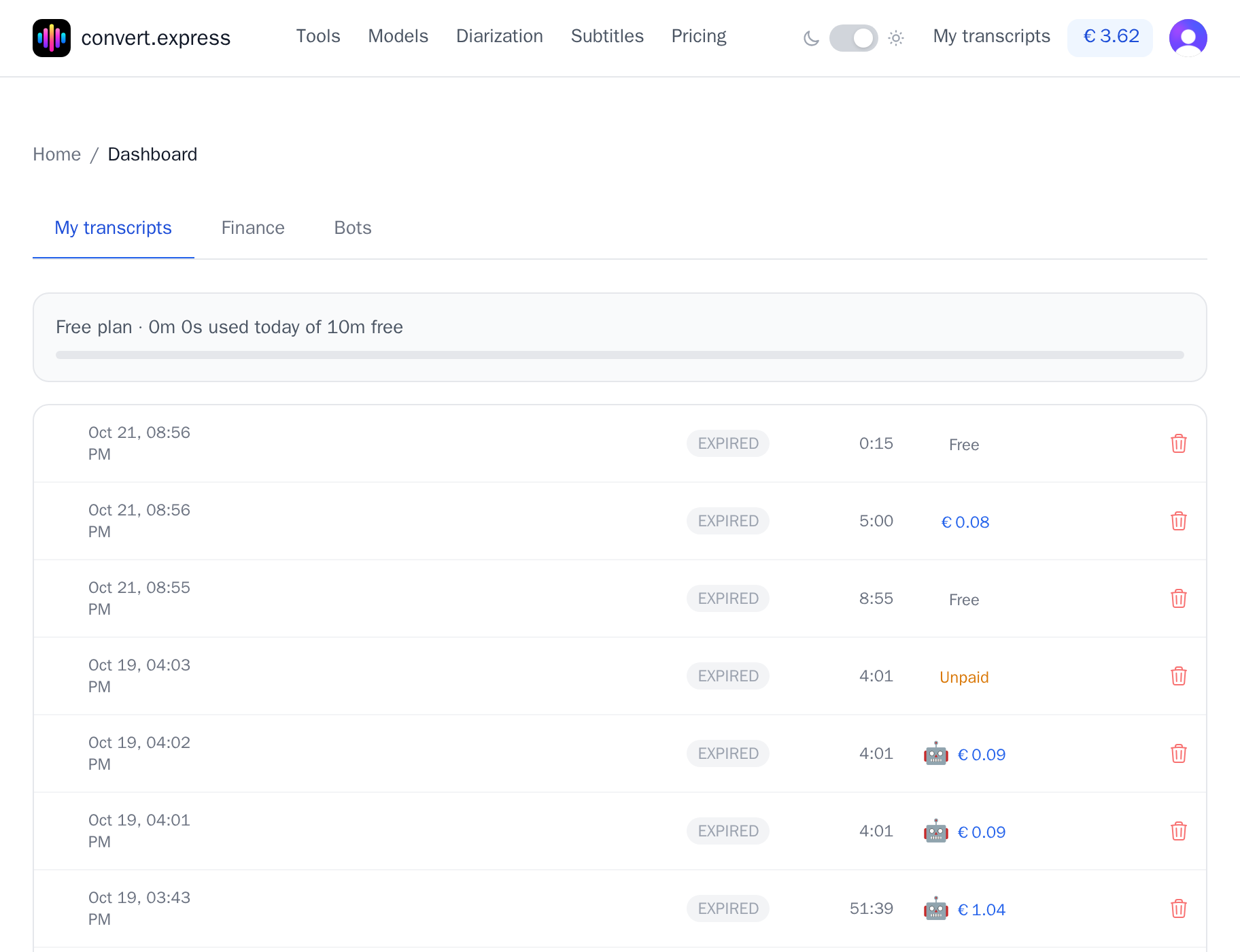
The bar shows how much of today's free allowance you've used. It turns amber only when you're over the limit, have no balance to pay from and still have unpaid jobs from today. That's the one case where you need to do something.
Each row shows the date, file name, status, length and how the job was paid:
| Label | Meaning |
|---|---|
| Free | Covered by your free minutes |
| Blue amount | Paid from your prepaid balance |
| Green amount | Paid by card |
| Unpaid (amber) | Over the free minutes. Open the job to pay |
| 🤖 | Started by an AI assistant |
Click a row to open it. Files are removed 24 hours after the last activity; the row stays and shows EXPIRED, as in the screenshot. The bin icon deletes a job right away.
Finance
Everything about money lives here: your balance, top-ups, promo codes and the full history.
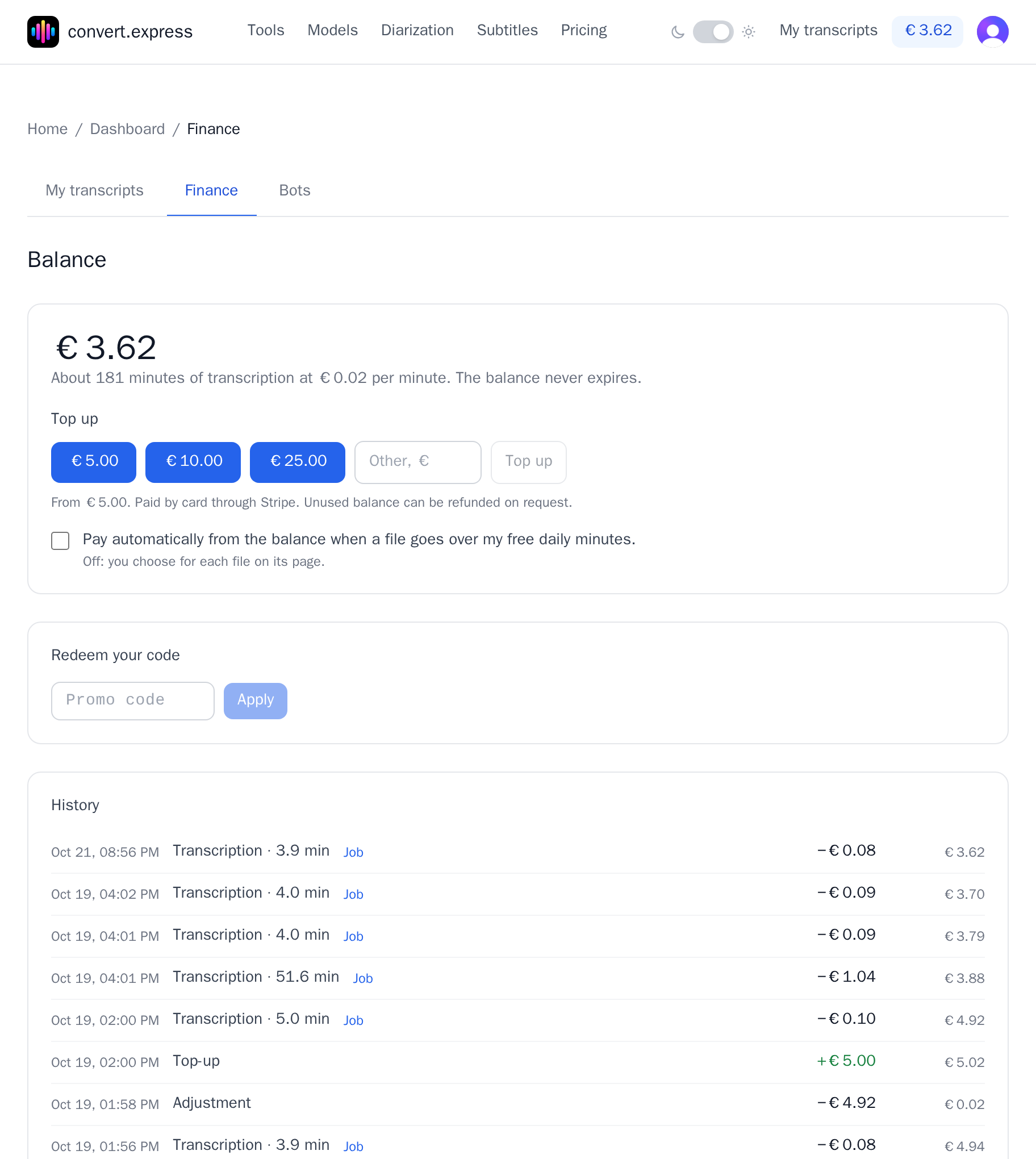
Balance. The big number is your prepaid balance. Under it you see roughly how many minutes it buys at €0.02 per minute. The balance never expires.
Top up. Pick €5, €10 or €25, or type another amount from €5. You pay by card through Stripe and come back to this tab with the amount added. Unused balance can be refunded on request.
Pay automatically. With this switch on, a file that goes over your free daily minutes is paid from the balance and transcribed in full, with no extra step. With it off, you decide for each file on its page. Either way, if the balance can't cover a whole job, nothing is charged for it and you get the usual preview and payment options instead. If you've topped up before, you also get one email when your balance drops below €1.
Redeem your code. Enter a promo code here to add free minutes to your account.
History. Every change to the balance is one line: top-ups, transcriptions (with minutes billed and a link to the job), refunds for failed files and refunds to your card. The right-hand column shows the balance after each change, so you can follow it line by line.
Delete account sits at the bottom of this tab. It deletes your files, transcripts, connected assistants and email address, then signs you out. If you still have money on the balance, it warns you first. A record of top-ups and charges is kept, without your email.
Bots
The Bots tab is for AI assistants, such as Claude or ChatGPT, that transcribe through convert.express for you. If you've never connected one, the tab explains how. The short version: add https://convert.express/mcp to your assistant (see How to connect convert.express to your AI assistant), then ask it to transcribe something.
An assistant shows up here in one of two ways. Either it signed in to your account (the /mcp/account address), or it gave you a payment link for a long recording and you opened it while signed in.
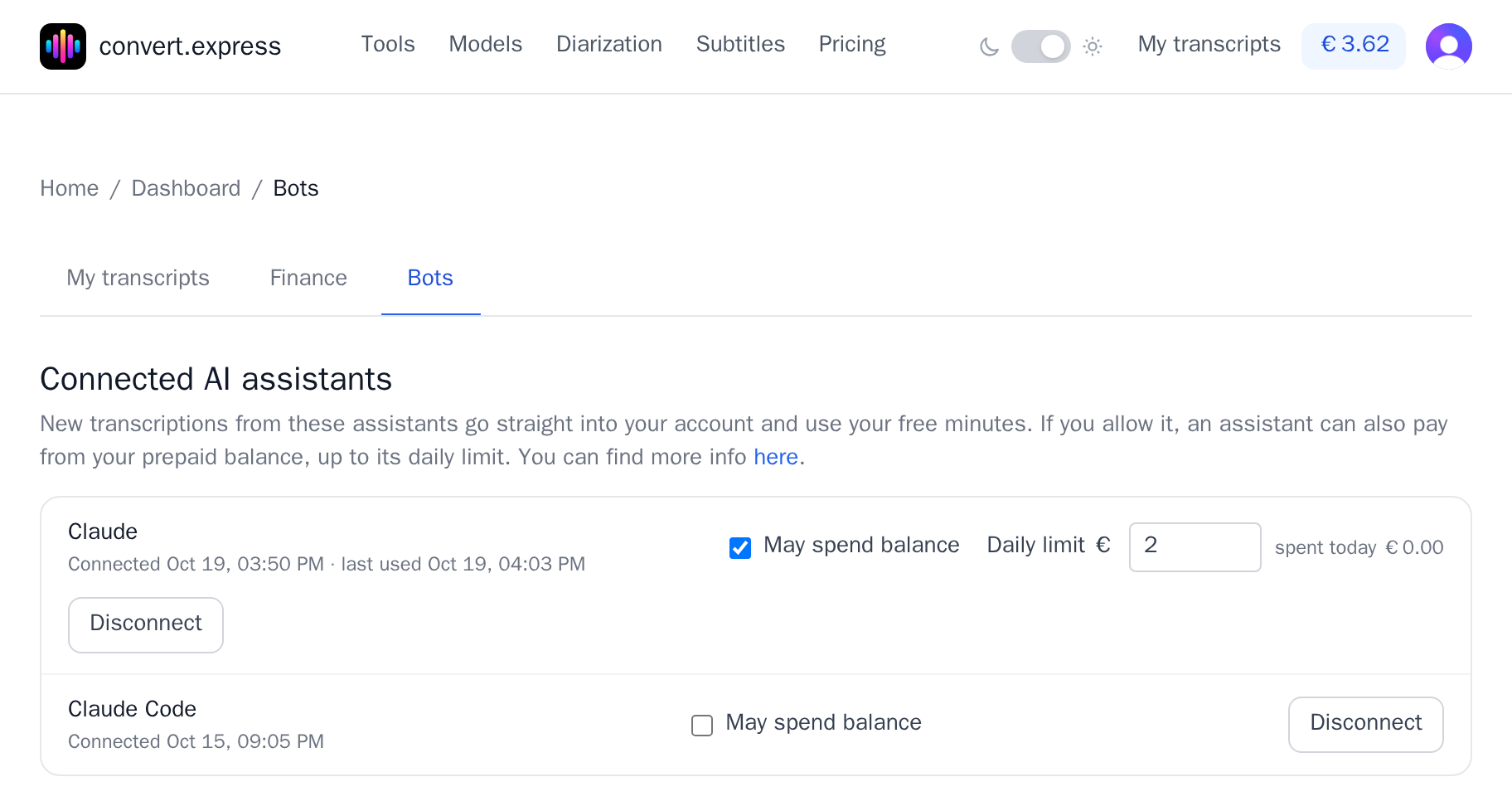
For each assistant you see when it connected and when it was last used, and three controls:
- May spend balance. Off by default for an assistant that came in through a payment link, on for one that signed in. While it's off, the assistant uses only your free minutes and shows you a payment link for anything longer.
- Daily limit. Appears once spending is on. It starts at €5; set anything from €0 to €100. "Spent today" shows how much of it is gone.
- Disconnect. Stops the assistant from using your account. Transcripts it already made stay in My transcripts. An assistant that signed in stays listed as disconnected, with a Reconnect button.
An assistant can pay only from your prepaid balance, never by card, and it never sees your card details. It also sees only the jobs it started, not the rest of your transcripts.
Where things moved
Until October 2026, the balance card, the promo code field and the connected assistants all sat on the main dashboard page. Here's where they are now:
| You're looking for | It's now in |
|---|---|
| Your transcripts and free minutes | My transcripts (unchanged) |
| Balance, top-up, auto-pay | Finance |
| Promo code field | Finance → Redeem your code |
| Delete account | Finance, at the bottom |
| Connected AI assistants | Bots |
Links in emails and Stripe receipts still work. The Finance tab kept its old address, /dashboard/balance.
Questions or something not where you expect it? Write to support@convert.express.