 convert.express
Turning a recording into text used to mean typing it out by hand, pausing and rewinding every few seconds. Speech-to-text software now does this in the time it takes to make coffee. This guide covers what audio-to-text transcription actually does, how the underlying technology works, and a real walkthrough of converting a file with convert.express.
What Is Audio to Text Transcription?
Audio to text transcription is the process of converting spoken language into written text. It's used to document interviews, transcribe lectures and meetings, generate subtitles, and make audio content searchable and accessible to people who are deaf or hard of hearing.
Modern transcription software handles this automatically: upload a file, and an AI model listens to it and returns text — no manual typing required.
How Does Speech to Text Technology Work?
Speech-to-text systems break an audio signal down into small phonetic units, then match those units against language patterns learned from massive amounts of training audio. Three things happen in sequence:
- Audio signal processing — the raw waveform is cleaned up and split into short frames.
- Acoustic modeling — each frame is mapped to likely sounds (phonemes).
- Language modeling — the sequence of sounds is resolved into real words and sentences, using context to handle accents, homophones, and background noise.
A few model families dominate this space today. OpenAI Whisper is a general-purpose model trained on a huge multilingual dataset — it's the workhorse behind most transcription tools, including convert.express, and supports 57 languages. Newer models like MAI-Transcribe 2 add word-level timestamps and support "entity biasing" — telling the model in advance about names, acronyms, or technical terms it should expect. convert.express can pair MAI with a separate whole-file Community-1 diarization pass. Gemini 3.5 Transcribe goes further still: 61 languages, in-model speaker diarization, and up to 1,000 biasing terms, though it cannot translate.
Key Benefits of Transcription Software
Time savings. A human transcriber takes roughly 4 hours to transcribe 1 hour of audio. AI transcription does the same job in under a minute.
Improved accuracy on repeat. Manual transcription accumulates fatigue-driven errors over long sessions. AI models don't get tired, and accuracy on clear audio in well-supported languages is now routinely above 95%.
Accessibility and searchability. Text can be searched, indexed, quoted, and read by screen readers — audio can't.
Free vs. Paid Transcription: What You're Actually Comparing
Most transcription tools fall into one of two buckets, and neither is quite what it sounds like:
- "Free" tools usually cap you at a short file length, a limited number of files per month, or lock the download behind a paywall after showing you a preview. Some require a subscription to remove those caps, whether or not you transcribe anything that month.
- Subscription tools charge a fixed monthly fee regardless of usage — fine if you transcribe constantly, wasteful if you need it twice a year.
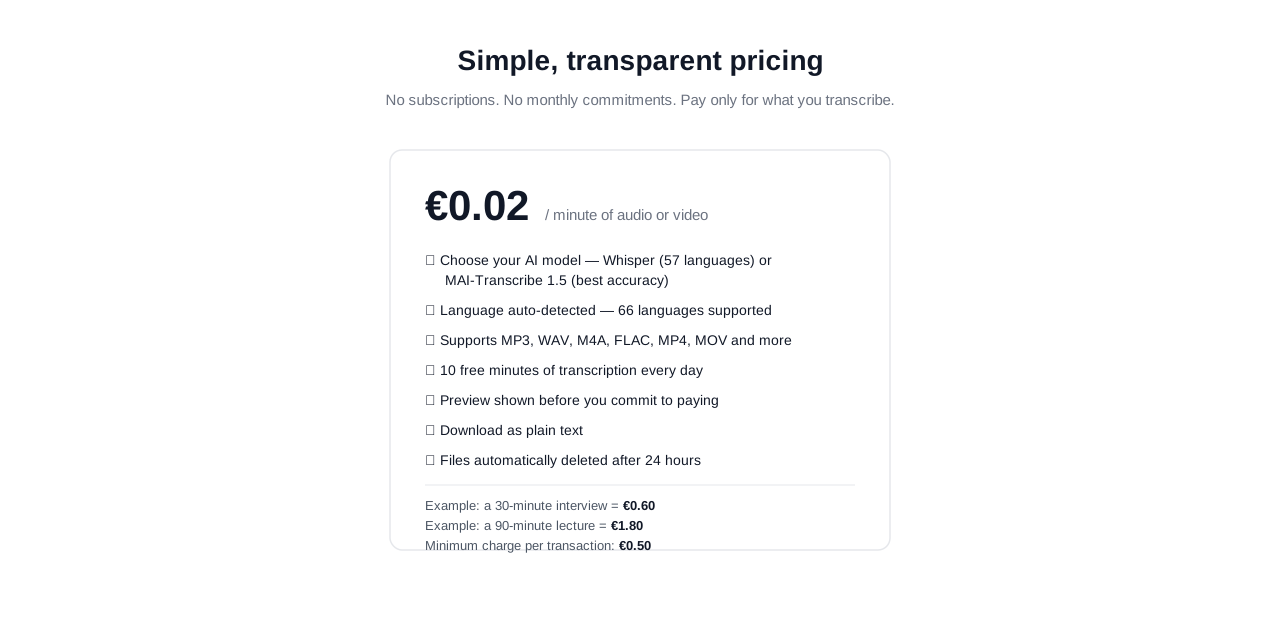
convert.express uses a third model: 10 minutes of transcription free every day, no account required to try, then pay-as-you-go at €0.02/minute with no subscription. If a file goes over the free quota, you still get a preview — you only pay when you want the full transcript.
| Free tier | Beyond free tier | |
|---|---|---|
| Cost | €0 | €0.02/minute (€0.50 minimum per transaction) |
| Commitment | None — resets daily | Pay per file, no subscription |
| Example: 30-min interview | Covered by ~3 days of free quota, or | €0.60 in one go |
| Example: 90-min lecture | — | €1.80 |
Transcription Audio to Text Example: Step-by-Step
Here's what converting a real file looks like using convert.express, which requires no signup to try:
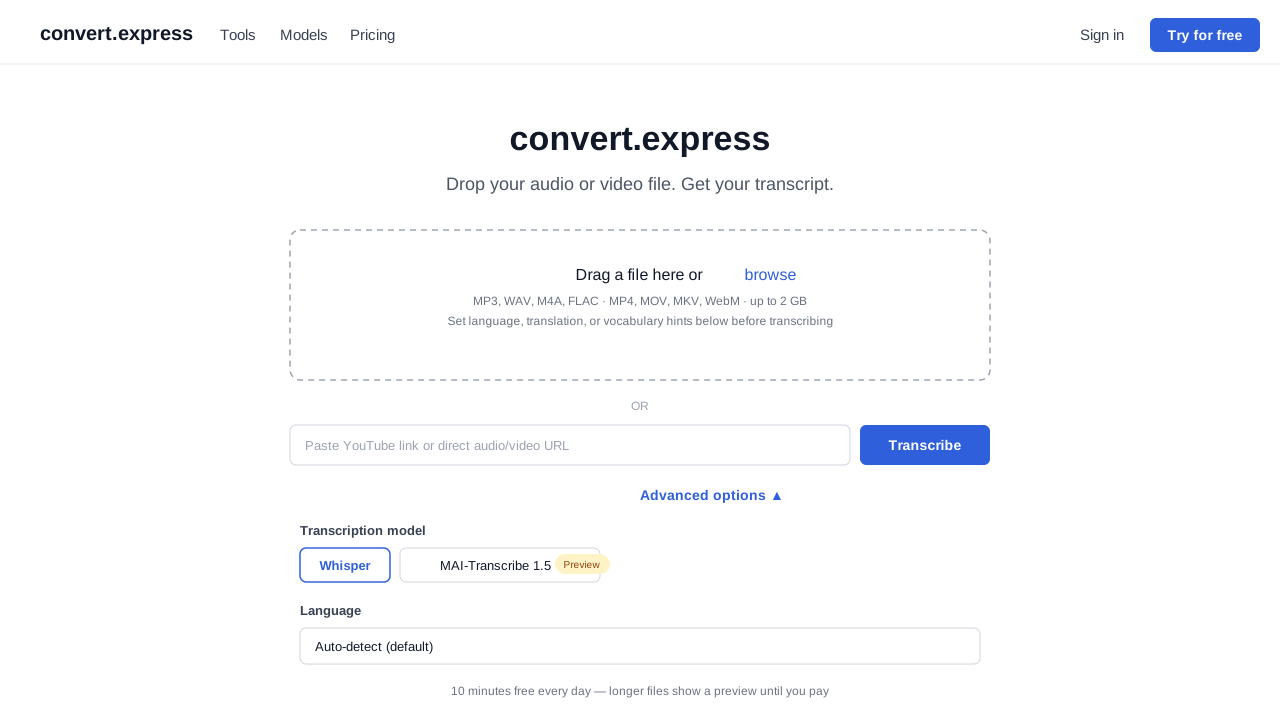
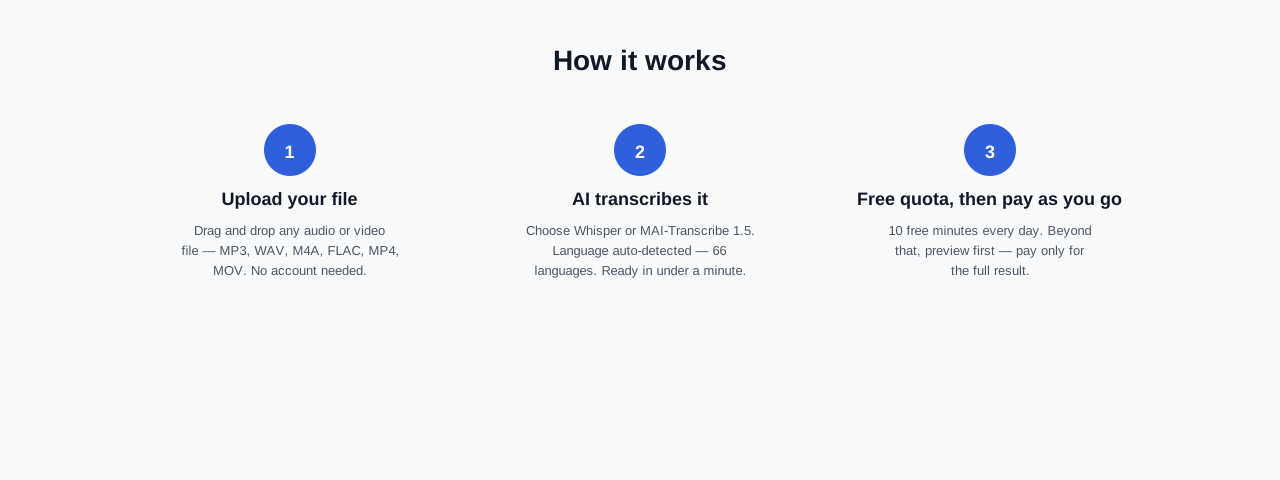
- Upload the file. Drag an audio or video file onto the page, or paste a link (YouTube, Dropbox, Google Drive, or any direct MP3/MP4 URL). Supported formats: MP3, WAV, M4A, FLAC, MP4, MOV, MKV, WebM — up to 2 GB.
- Choose a model. Pick MAI-Transcribe 2 (the default — whole-file speaker labeling, entity biasing, currently in preview), Whisper (57 languages, generally available), or Gemini 3.5 Transcribe (61 languages, in-model speaker diarization, currently in preview). Language is auto-detected across 65 languages, or you can set it manually.
- Set optional extras. Add vocabulary hints (names, acronyms, domain terms) to improve accuracy, turn on "Translate to English," or request an AI-generated summary or action list alongside the full transcript.
- Transcribe. Most recordings are ready in under a minute.
- Review and download. The first 10 minutes each day are free; anything beyond that shows a preview, and you pay only if you want the complete transcript as plain text. Files are deleted automatically after 24 hours — nothing sits on a server indefinitely.
Tips for Better Transcription Accuracy
- Record in a quiet space. Background noise is still the single biggest cause of transcription errors, AI or human.
- Use a decent microphone. A basic USB or lavalier mic outperforms a laptop's built-in mic by a wide margin.
- Add vocabulary hints. If your recording includes names, acronyms, or jargon (medical terms, product names, etc.), enter them ahead of time — this measurably reduces misheard words.
- Set the language manually for short or accented clips. Auto-detect is reliable on clips over ~10 seconds; for very short files or strong accents, picking the language yourself avoids misdetection.
Frequently Asked Questions
What are audio-to-text transcription tools used for? Documenting interviews and meetings, transcribing lectures, generating subtitles, and making spoken content searchable and accessible.
Is free transcription actually reliable? It depends on the model, not just the price. A well-supported language on a modern model (Whisper, MAI-Transcribe, Gemini 3.5 Transcribe) is typically well over 95% accurate whether you're on a free quota or a paid tier — the model does the same work either way. What "free" limits is usually file length or volume, not quality.
Do transcription tools support multiple languages? Most modern tools do. convert.express auto-detects across 64 languages and supports translation to English in the same pass, at no extra cost, on Whisper jobs.
How is my audio handled after I upload it? On convert.express, files are automatically deleted within 24 hours and are never used to train AI models.
Try It
You can test this on a real file right now at convert.express — no account needed, and the first 10 minutes each day are free. If you know exactly what file type you're starting from, see the format-specific guides for MP3, WAV, MP4, voice memos, Zoom recordings, and more.